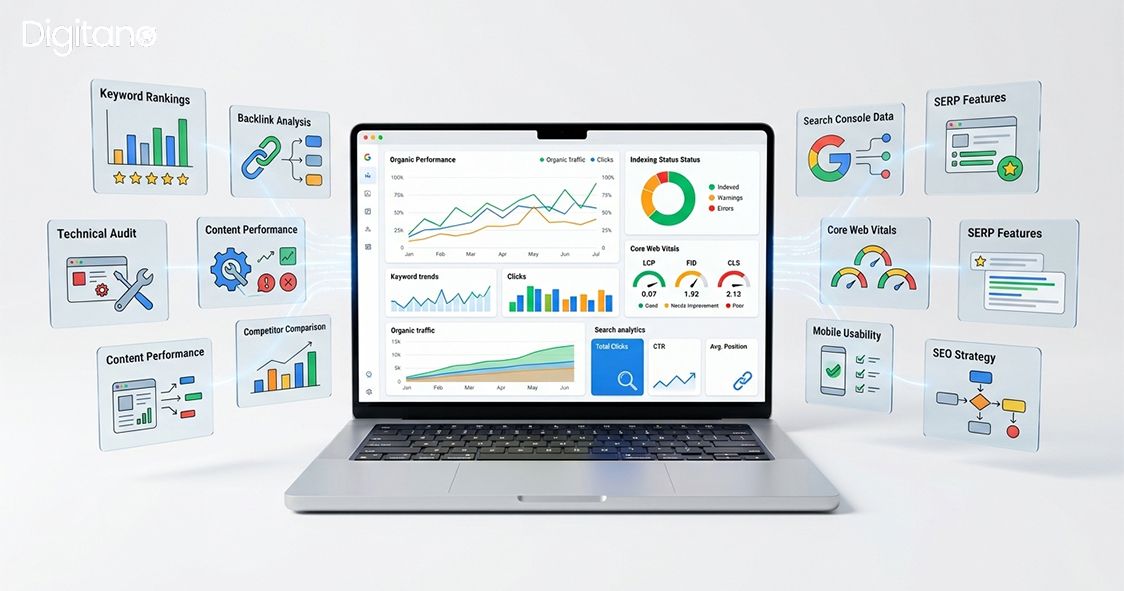
Google Search Console is still the single most valuable free tool in an SEO's stack, but the volume of data it produces has quietly become one of the biggest bottlenecks in modern SEO work. Even a mid-sized site generates tens of thousands of query and page combinations across dozens of dimensions, and manually reviewing that data has become genuinely impractical. The Google Search Console reports most SEOs actually need to act on are the same ones AI tools can now process in minutes rather than hours.
This guide walks through the 10 GSC reports that benefit most from AI-assisted analysis in 2026, along with what to look for in each one, practical prompts you can use with tools like ChatGPT or Claude, and how to avoid the common mistakes that turn AI-assisted SEO into automated noise. If you'd rather have someone else handle this analysis for you, our team at Digitano LLC combines these workflows into monthly reporting as part of our PPC management services and broader digital marketing services.
Why AI Changed Google Search Console Analysis in 2026
Before jumping into the specific reports, it's worth understanding what actually changed. The June 3, 2026 launch of Google's new Search Generative AI Performance reports added a critical new data source to Search Console, one that tracks impressions inside AI Overviews and AI Mode separately from traditional organic results. Combined with existing performance data, technical reports, and the growing complexity of AI Mode queries (which Google confirmed average three times the length of traditional searches), the amount of data an SEO needs to interpret has expanded significantly.
AI-assisted analysis works well here for two reasons. First, most GSC reports export as CSV data that's cleanly structured for AI processing. Second, the patterns that matter in this data (cannibalization, drift in query intent, indexation issues, seasonal fluctuations) are pattern-recognition problems where AI genuinely outperforms manual review.
The important limitation to acknowledge: AI is a strong analysis assistant, not a strategic decision-maker. The reports below list what AI does well for each one and where human judgment still needs to lead.
1. Performance Report (Search Results)
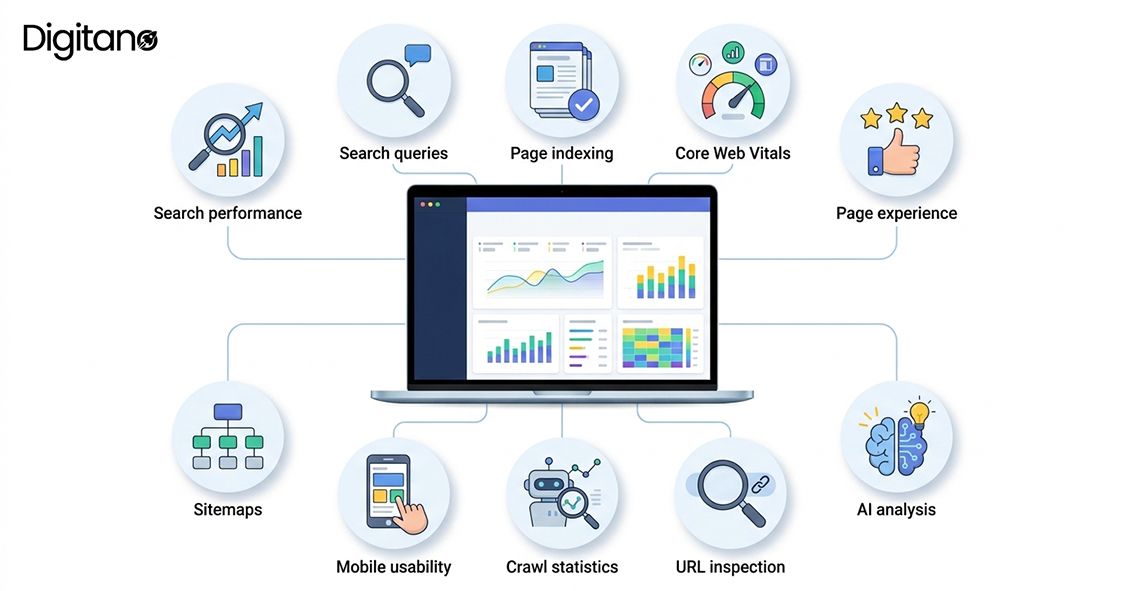
This is the foundational GSC report and where most AI-assisted workflows should start. Export the last 16 months of data with all queries, pages, countries, and devices.
What AI does well here: Identifying pages that dropped significantly in clicks or impressions during a specific date range, flagging query clusters that lost position, and surfacing which pages gained visibility that you might have missed manually. Sorting by absolute change rather than percentage change (which AI can do reliably) tends to surface the highest-impact wins and losses.
Practical prompt to use: "Analyze this GSC performance export for the last 90 days compared to the previous 90 days. Identify the top 10 pages with the largest absolute click drops and the top 10 pages with the largest gains. For each, note whether the impression change matches the click change, and flag any pages where impressions rose but clicks fell (suggesting CTR issues)."
2. Search Generative AI Performance Report
Launched on June 3, 2026, this is the newest and most consequential addition to Search Console for AI-era SEO. As of mid-2026, the report was rolling out to a subset of UK-based site owners before global expansion, with data available from May 18, 2026 onward and no historical backfill available.
What AI does well here: Because the report currently includes impressions, pages, countries, devices, and date trends but no click data, no CTR, and no query-level breakdown, AI is particularly useful for cross-referencing which pages appear in AI features against your standard Performance report. This helps identify which content Google's AI systems trust as citable sources.
Key insight worth acting on: Google's AI features often cite structured, well-organized content with clear extractable facts. Pages that rank well in traditional search but don't appear in the AI report are prime optimization candidates, typically explained by content structure issues, missing schema, or entity ambiguity.
3. Pages Report (Indexing)
This report shows which URLs are indexed and, critically, which aren't and why. For sites over a few thousand pages, manually reviewing indexation issues is genuinely impractical.
What AI does well here: Categorizing "Not Indexed" reasons at scale (Discovered - currently not indexed, Crawled - currently not indexed, Duplicate without user-selected canonical, Blocked by robots.txt, and so on) and grouping affected URLs by pattern. AI can spot patterns like "all URLs under /category/archive/ have the same indexation issue" much faster than manual review.
Practical prompt to use: "Group these non-indexed URLs by their exclusion reason and identify any URL pattern (subdirectory, template, or content type) that shows up disproportionately. Flag which patterns likely represent an intentional decision versus an unintentional indexation problem."
4. Sitemaps Report
A smaller but frequently overlooked report that shows how successfully Google is processing your submitted sitemaps.
What AI does well here: Comparing "submitted" versus "indexed" counts across multiple sitemaps and flagging when a specific sitemap is underperforming versus others. This catches issues like a category sitemap silently failing while product sitemaps continue to work normally.
5. Core Web Vitals Report
Loading performance, interactivity, and visual stability data broken down by URL groups.
What AI does well here: Correlating which URL patterns share the same Core Web Vitals issues, especially when a template-level problem is affecting hundreds of pages simultaneously. AI can also help translate the technical metrics (LCP, INP, CLS) into plain-language recommendations that non-technical stakeholders can actually act on.
Where human judgment still leads: Deciding which fixes actually justify the development time. Not every CWV warning is worth engineering effort, and this is where an experienced SEO makes better calls than any AI tool.
6. Mobile Usability Report (Where Available)
For sites where this report is still relevant, mobile usability issues concentrated in specific templates are often invisible from a manual sample of pages.
What AI does well here: Similar to Core Web Vitals, AI is strong at identifying template-level patterns behind mobile usability errors. Instead of chasing individual URLs, you can quickly see whether the problem is a shared component across pages.
7. Links Report (Internal Links)
The internal linking report shows how link equity flows across your site, and this is one of the most underused reports in most SEO workflows.
What AI does well here: Identifying pages that receive far fewer internal links than their business importance would justify, and pages that receive far more internal links than their content depth warrants. Both scenarios represent optimization opportunities: the first is an under-supported cornerstone page, the second may be over-diluting your linking budget.
Practical prompt to use: "Analyze this internal link export. Group linked pages by URL pattern and identify the top 20 pages that receive the most internal links but rank poorly in search results. Suggest possible reasons for this mismatch and prioritize which are worth further investigation."
8. External Links Report
The external links report shows which sites are linking to yours and which pages of yours are being linked to most heavily.
What AI does well here: Categorizing linking domains by quality, industry, and language, which is genuinely time-consuming manually. AI is also strong at flagging patterns that suggest link spam or negative SEO attempts (like sudden bursts of links from irrelevant domains or foreign-language spam sites).
Where human judgment still leads: Deciding what to actually do about spammy links. Google's own guidance has consistently been that most negative SEO attempts don't work and that disavowing links should be a last resort, so this analysis needs to inform decisions rather than automate them.
9. Search Appearance Report (Rich Results and Schema)
Which of your pages appear with rich results (FAQ, HowTo, Product, Review, and others) and which are eligible but not appearing.
What AI does well here: Comparing which pages successfully generate rich results against which pages have the same schema markup but aren't earning enhanced appearance. This gap often reveals implementation issues or missing required fields.
Related opportunity: With the June 2026 AI Performance report added to Search Console, pages that earn AI impressions frequently overlap with pages that have strong schema and clear extractable facts. Cross-referencing these two reports is a powerful workflow for identifying which technical implementation choices are actually paying off.
10. Manual Actions and Security Issues Reports
Rare but critical when they appear. The manual actions report shows any human-reviewed penalties applied to your site, and the security issues report flags malware, hacking, or social engineering compromises.
What AI does well here: Not much for the reports themselves, since manual actions require direct action rather than analysis. But AI is genuinely useful for drafting the reconsideration request that follows a manual action, particularly when translating the specific violation into a professional response that acknowledges the issue, explains the fix, and demonstrates good faith.
The bigger point: Any SEO workflow, AI-assisted or not, needs to include a weekly or biweekly check of these two reports even when the rest of the dashboard looks healthy. These reports are the only ones where inaction has severe consequences.
Common Mistakes When Using AI With Search Console Data
A few pitfalls come up repeatedly when SEOs first start incorporating AI into GSC analysis:
- Uploading data with personally identifiable information without checking first. Some GSC exports may include information you don't want in a third-party AI tool. Anonymize or filter as needed before uploading.
- Trusting AI-generated correlations without verifying causation. AI is excellent at pattern recognition and terrible at understanding your business context. A pattern that looks meaningful in the data may be a coincidence, or it may reflect something an AI tool can't see (like a competitor's action, a Google algorithm update, or an internal site change).
- Skipping the human review step. AI analysis output should be a starting point, not a final report. Every AI-generated insight worth acting on needs to be validated against your knowledge of the site and industry.
- Using AI for the wrong reports. Not every GSC report benefits equally from AI analysis. Small, focused reports (like Security Issues) don't need AI; large, multi-dimensional reports (like Performance) benefit dramatically.
- Forgetting the "no click data" limitation on the new AI Performance report. Impressions in generative AI features are visibility signals, not traffic signals. Interpreting them correctly requires setting expectations appropriately.
A Realistic Workflow for Weekly AI-Assisted Search Console Analysis
Rather than trying to run all 10 reports through AI every week, a practical rhythm looks like this:
- Daily (2 minutes): Quick visual check of the Search Console overview dashboard for any dramatic changes.
- Weekly (30 minutes): AI-assisted review of the Performance report and the new AI Performance report, comparing the last 7 days against the previous 7 days.
- Biweekly (45 minutes): AI-assisted review of the Pages (Indexing) report and Core Web Vitals report for template-level patterns.
- Monthly (60 minutes): Deeper AI analysis of internal and external links, schema opportunities, and month-over-month trends across the full data set.
- Quarterly (2 hours): Strategic review of 16-month trends across all reports, focused on identifying which content strategies are working and where investment should shift.
This rhythm keeps analysis manageable while catching most issues within days of them appearing, which matters more than depth of analysis on any single day.
Frequently Asked Questions
Q1: Do I need a paid AI tool to analyze Google Search Console data?
No. General-purpose AI tools like ChatGPT and Claude handle CSV data uploads well, and free tiers are sufficient for most SEO analysis workflows on small to mid-sized sites. Dedicated SEO-focused AI tools add value for large enterprise sites where you're processing millions of URLs or where you want automated ongoing reporting.
Q2: Is the new Search Generative AI Performance report available on my Search Console yet?
As of mid-2026, Google was rolling this out to a subset of UK-based site owners before expanding globally. If you don't see it yet, the report should appear automatically once your property becomes eligible. In the meantime, you can start preparing by ensuring your content has strong extractable facts, updated dates, and structured markup.
Q3: Can AI predict my SEO rankings from Search Console data?
No, and any tool that claims otherwise is overselling. Rankings depend on hundreds of factors, many of which aren't visible in Search Console data. AI can analyze historical patterns and highlight likely explanations for changes, but predicting future rankings with meaningful accuracy is beyond current capabilities.
Q4: How is AI Mode data different from traditional Search Console data?
AI Mode queries average roughly three times the length of traditional searches and often use a "query fan-out" technique where a single query pulls from multiple sources simultaneously. This means impressions in the AI Performance report don't map cleanly to traditional ranking positions. A single URL contributing to a synthesized AI answer alongside three other sources is a different signal than ranking number one in classic search.
Q5: Does using AI to analyze GSC data violate Google's terms of service?
No. Exporting your own Search Console data and analyzing it with any tool, including AI, is standard practice and explicitly supported by the report export functionality. The important consideration is data privacy, particularly if you handle client data across multiple properties.
The Bottom Line
Ten Google Search Console reports covers a lot of ground, but the underlying idea is simple: AI is best deployed on the specific reports where data volume overwhelms manual analysis, and it should always complement human strategic judgment rather than replace it. The Performance report and the new Search Generative AI Performance report are the two highest-value candidates for AI-assisted analysis in 2026, followed closely by the Pages (Indexing), Internal Links, and Core Web Vitals reports.
For SEOs and business owners who'd rather have an experienced team handle this analysis and translate it into actual growth work, Digitano LLC combines these workflows into ongoing SEO and PPC engagements. Contact Digitano LLC to discuss how we can turn your Search Console data into a real growth engine, rather than another dashboard you check once a month.