Summary
AI-powered software engineering is helpful when it helps with real tasks like writing the first drafts of code, fixing bugs, testing, making documentation, and cleaning up. The problem is that there is so much noise around AI tools right now that it's difficult to tell what really works and what just sounds good. The best tools are usually the ones that help teams get things done faster without making them trust them too much.
AI-powered software engineering is useful when it helps with real work like writing first drafts of code, debugging, testing, documentation, and cleanup. The problem is that there is so much noise around AI tools now that it is harder to tell what actually helps and what just sounds impressive.
Right now, developers are hearing the same promise from every direction. Each new tool says it can write code, review pull requests, fix bugs, understand the repo, and help teams move faster. Some of that is true. Some of it is just marketing getting ahead of reality.
That is why it makes more sense to look at AI-powered software engineering in a practical way. What helps in a real sprint? Which features help save time in a real repository? What makes work easier without adding new problems?
That's where the difference becomes clear. Some tools are really helpful for automating coding, debugging, writing documentation, making tests, and cleaning up things that need to be done over and over again. Some look good in demos, but they don't work as well when the job gets bigger, the repo gets messier, or the context is missing.
What is actually working
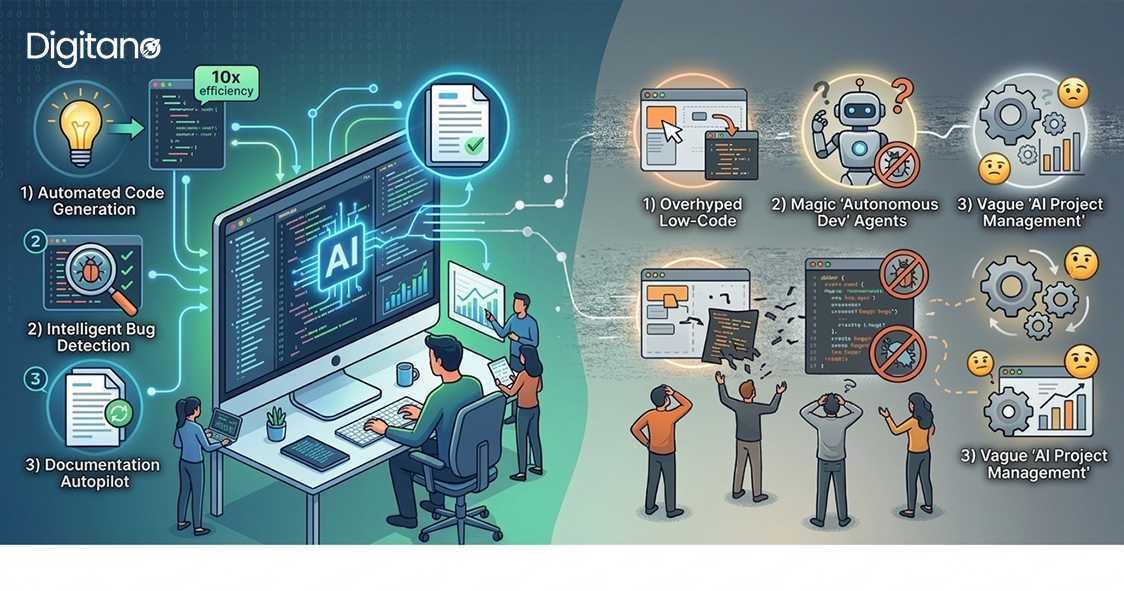
The best use of AI in software engineering is not mysterious. It usually works best when it helps with work that is repetitive, easy to delay, or annoying to do from scratch.
That includes things like
- writing first drafts of code
- filling in repetitive patterns
- helping explain bugs
- drafting documentation
- creating test cases
- assisting with refactoring
This is where AI tends to feel helpful without pretending to be magic.
Code generation
This is still the most obvious use case. Developers use AI to turn comments into rough code, generate small functions, fill in repeated patterns, or draft simple API calls. That is why automated coding is one of the first things teams notice.
It works best when the task is clear and not too large. For example, if a developer already knows the logic they want and just needs help getting the first version written, AI can save time. It can also help with small utility functions, repetitive frontend pieces, and setup code that nobody really wants to write line by line.
What it does not do well is replace careful engineering. The first draft might be quick, but it still needs checking. Occasionally the code works, but it is not the cleanest fit for the codebase. Sometimes it misses an edge case. Sometimes it quietly makes assumptions that were never part of the requirement.
Debugging
Debugging the code is one of the more realistic wins. Many developers are already using AI to help them think through errors, compare likely causes, and narrow down where to look first.
A simple example is when a developer sees a failing test or strange runtime error and asks the tool what might be going wrong. AI can often point out a missing null check, a mismatch in expected data shape, or a place where state is changing unexpectedly. It does not always solve the issue, but it can reduce the time spent staring at the problem with no direction.
That is why debugging is one of the areas where AI can feel useful rapidly. It is not replacing the developer. It is helping them get to the likely issue faster.
Documentation
Documentation is another place where AI is genuinely helpful. Most developers do not avoid docs because they hate them. They avoid them because docs usually come after the actual feature work, when time and energy are already low.
AI can help draft:
- PR summaries
- setup notes
- feature explanations
- API descriptions
- internal documentation updates
That is useful because the blank page is often the hardest part. Once there is a rough draft, someone on the team can correct it, trim it, or improve the wording. This is one of the least flashy use cases, but it's easy to justify in a real workflow.
Testing
Testing is one of those things teams know they need, but it often gets squeezed when deadlines are tight. AI helps here by suggesting test cases, drafting unit tests, and pointing out edge cases that might be worth checking.
For example, if a developer changes a function with multiple conditions, AI can suggest test scenarios around empty values, invalid input, or unexpected combinations. That saves time because the engineer is not starting from zero.
Still, the result is not something to trust blindly. Some AI-generated tests are too basic. Some just mirror the implementation without really checking behavior. So yes, AI helps with testing, but only if someone still reads the output and decides whether the tests are actually useful.
Refactoring
AI is also useful for cleanup work. Refactoring often involves repeated edits, renaming patterns, breaking large functions into smaller ones, or making the code easier to read without changing what it does.
That is the kind of work AI can support pretty well, especially when the task is narrow and the intent is clear. A developer can seek assistance in simplifying a function, ensuring consistent naming, or identifying repeated logic that requires extraction.
This is not a replacement for common sense. A refactor may look better on the outside, but it can change the code in ways that the team doesn't want. The value is real, but it still needs to be looked at.
Where the noise begins
This section is the part that people blow out of proportion. AI usually looks smartest when the job is small, simple, and straightforward to explain. The gaps start to show once the work gets bigger.
Things get shakier when:
- the repo is large and messy
- the requirement depends on business logic nobody documented
- the task involves security-sensitive code
- the right answer depends on trade-offs, not just syntax
- the tool only sees part of the system
That is why big claims around AI coding agents still need a bit of caution. Yes, they are getting better. Some can work across files, run commands, and do more than simple autocomplete. But that does not mean they fully understand the product or the risks.
The bigger issue is not just hallucination. It is over-trust. A polished answer can still be wrong for the codebase.
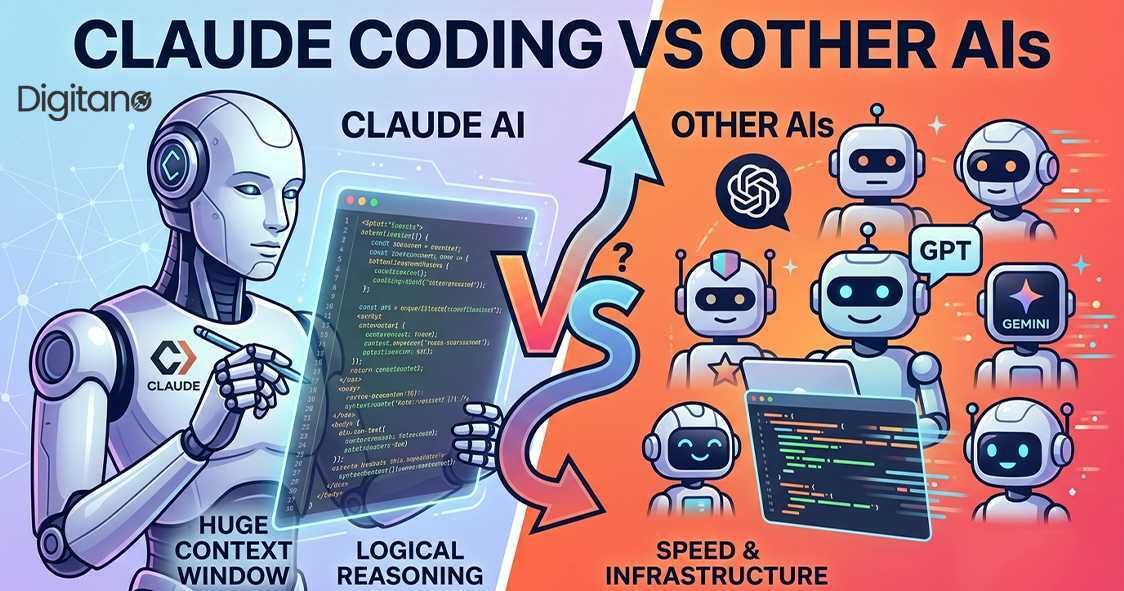
Claude coding vs other AIs
The phrase "Claude coding vs other AIs" sounds like it should have one clear winner, but real workflows are not that simple.
A more honest way to look at it is this:
- Copilot is useful when developers want help directly inside their daily workflow
- Claude is often better when the task needs more reasoning, explanation, or broader code discussion
- Cursor works well for people who want an editor built around AI support
- Other agent-style tools are useful when teams want help across multiple steps, not just one prompt
What are the best AI coding tools for software engineers in 2026? Most likely multiple tools. Most likely a mix of tools, depending on how the team works and what kind of help they need the most.
That may sound less exciting than naming a champion, but it is closer to real life.
What still needs people
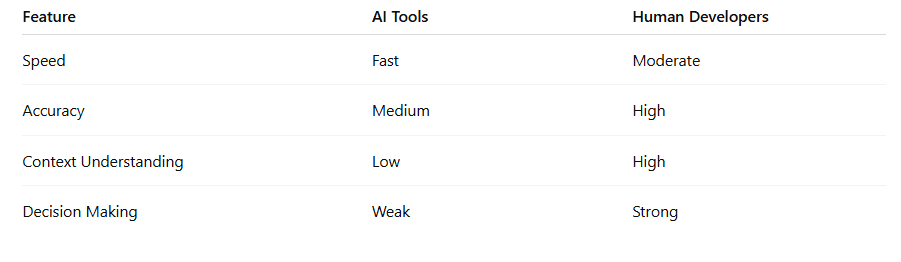
AI is helpful, but it still struggles with things that require judgment.
That includes:
- hidden context
- unclear product direction
- security decisions
- architectural trade-offs
- code that technically works but should still not be merged
A developer still has to decide what's important. A reviewer still needs to think about risk. A team lead still needs to think about privacy, quality, and whether the work fits with how the team builds software.
That is why AI works best as a helper. It can make the work easier, but it doesn't mean you don't have to think.
Final thoughts
AI-powered software engineering is not fake. It is already helping teams in small but useful ways. The problem is that the useful part is often much less dramatic than the marketing around it.
What is working right now is fairly practical: quicker first drafts, easier repetitive coding, faster debugging support, lighter documentation work, better help with tests, and some assistance with refactoring. What is still mostly noise is the idea that one tool can understand everything, make all the right calls, and work without close review.
So the best way to use AI at the moment is still pretty simple. Use it where it saves real time. Check what it gives you. Keep human judgment in the process.
Frequently Asked Questions
Q1. Can AI coding tools replace software engineers?
A. No, and most teams are not using them that way anyway.
Q2. What part of software engineering usually improves first?
A. In many cases, the first wins show up in code drafting, debugging help, testing support, and documentation.
Q3. Are AI coding agents actually useful in real work?
A. Yes, but mostly when they are helping with specific tasks instead of trying to run everything on their own.
Q4. What is the biggest mistake teams make with these tools?
A. Probably trusting them too quickly just because the output sounds confident.