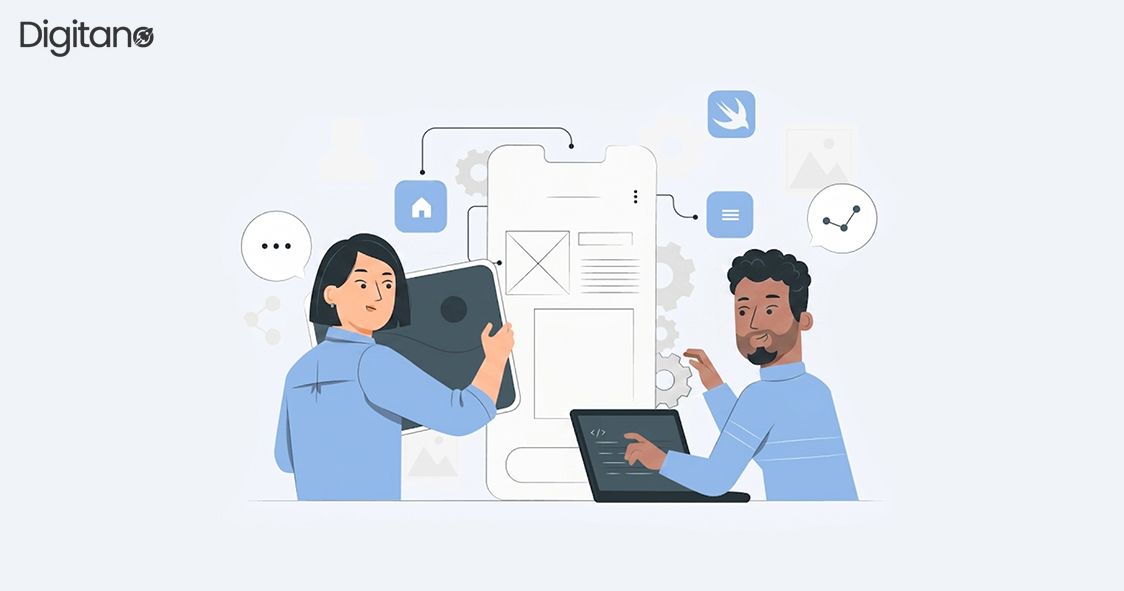
Imagine waking up with a brilliant app idea a tool to help your local bakery manage orders, a habit tracker for your morning routine, or a marketplace to sell handmade jewelry. Ten years ago, turning that idea into a real, working app would have required hiring developers, spending tens of thousands of dollars, and waiting months. Today? You can do it yourself, over a weekend, without writing a single line of code.
Welcome to the no-code revolution. In this guide, you will learn exactly how to build an app without coding from the very first idea to a live, working product. Whether you are a small business owner, a freelancer, a student, or simply someone with a great idea, this guide is for you.
1. What Is No-Code App Development?
No-code development is the practice of building software applications using visual, drag-and-drop interfaces rather than programming languages. Instead of writing code like JavaScript or Python, you configure your app by clicking, dragging, and connecting pre-built components think of it like assembling furniture from IKEA rather than chopping down a tree.
The concept is not entirely new. Website builders like Wix emerged in the early 2010s. But the modern no-code movement has expanded far beyond simple websites. Today's no-code platforms let you build fully functional mobile apps, internal business tools, e-commerce platforms, SaaS products, and even AI-powered applications all without a computer science degree.
2. Who Is Building Apps Without Code?
The stereotype of an app builder is a young developer hunched over a laptop in a coffee shop. But the reality of no-code is far more diverse. Here is who is actually using these tools today:
Entrepreneurs and Solopreneurs
People launching startups on a shoestring budget use no-code tools to build MVPs (Minimum Viable Products) and test ideas before committing to expensive development. A solo founder can build and ship a product in weeks rather than months.
Small Business Owners
Restaurant owners, gym operators, real estate agents, and retail shop owners use no-code platforms to build booking systems, customer portals, inventory trackers, and loyalty programs tools they previously could not afford.
Freelancers and Consultants
Designers, marketers, and consultants add app development to their service offerings using no-code tools, dramatically expanding their income potential without learning to code.
Corporate Teams (Citizen Developers)
Inside large companies, non-technical staff people in HR, finance, marketing, and operations are building internal tools and automating workflows using no-code platforms, bypassing IT backlogs entirely.
3. The No-Code Ecosystem: Types of Tools Available
Before you pick a tool, you need to understand what type of app you want to build. The no-code ecosystem is broad, and different platforms excel at different things.
3.1 Mobile App Builders
These platforms let you build native or web-based mobile apps for iOS and Android without writing Swift, Kotlin, or React Native.
- Glide Turns Google Sheets into a mobile app in minutes. Ideal for simple data-driven apps.
- Adalo Visual drag-and-drop builder for more complex apps with custom databases and user logins.
- Thunkable Drag-and-drop builder with a block-based logic editor, similar to MIT Scratch.
- FlutterFlow More powerful builder based on Flutter, great for polished consumer apps.
3.2 Web App Builders
These tools help you create full web applications that run in any browser.
- Bubble The most powerful no-code web app builder. Used to build complex SaaS products, marketplaces, and social networks. Has a steeper learning curve but massive flexibility.
- WeWeb A frontend builder that connects to external databases and APIs.
- Webflow More design-focused; great for websites and CMS-driven apps with interactions.
3.3 Automation and Workflow Tools
These platforms do not build apps in the traditional sense but automate processes between existing apps.
- Zapier Connects over 6,000 apps and automates tasks. For example: when someone fills out a form, automatically send them a welcome email and add them to a CRM.
- Make (formerly Integromat) More visual and powerful than Zapier, handles complex multi-step workflows.
- n8n An open-source alternative to Zapier, popular with tech-savvy no-coders who want more control.
3.4 Database and Backend Tools
- Airtable A spreadsheet-database hybrid that powers the data layer of many no-code apps.
- Xano A no-code backend builder with a real database, API generation, and business logic.
- Supabase An open-source Firebase alternative, slightly more technical but extremely powerful.
4. Step-by-Step: How to Build Your First App Without Coding
Let us walk through the actual process. We will use a practical example: building a simple booking app for a personal trainer who wants clients to book sessions online.
Step 1: Define Your App Idea Clearly
Before touching any tool, answer these four questions on paper or in a document:
- What problem does the app solve? (Clients need an easy way to book training sessions)
- Who will use it? (Existing and new clients aged 20-45)
- What are the core features? (View available slots, book a session, receive confirmation email)
- What should it NOT do yet? (Payment processing, video calls save those for version 2)
This step sounds simple but it is where most beginners fail. They try to build everything at once and end up overwhelmed. Define a ruthlessly minimal first version sometimes called an MVP.
Step 2: Choose the Right Tool
For a booking app, you have a few solid options. If you want a mobile-first experience, Glide or Adalo work well. For a web app with more customization, Bubble is a strong choice. For a simple calendar-based booking system with no database management, a tool like Calendly combined with a landing page builder like Carrd might actually be enough.
Rule of thumb: always start with the simplest tool that could possibly work. You can always migrate or upgrade later.
Step 3: Plan Your Data Structure
Every app is fundamentally about data. Before building anything visually, sketch out your data model the types of information your app will store and how they relate to each other. For a booking app, your data might look like this:
- Users: name, email, phone number, profile photo
- Sessions: date, time, duration, type (e.g., cardio, strength)
- Bookings: which user booked which session, booking status, notes
Getting this right early saves enormous pain later. Many no-code platforms let you define your data structure in a table-like view before building any screens.
Step 4: Build Your Screens
Now comes the fun part. Using your chosen platform, start creating the screens (or pages) of your app. For the booking app, you might need:
- Home screen Welcome message and a 'Book a Session' button
- Schedule screen A calendar or list view of available slots
- Booking screen A form to fill in details and confirm
- Confirmation screen A thank-you message with booking details
Drag elements like buttons, text boxes, images, and forms onto each screen. Connect them with navigation flows for example, pressing 'Book a Session' on the home screen should take the user to the Schedule screen.
Step 5: Set Up Logic and Workflows
Logic is what makes an app actually do things. In no-code platforms, logic is usually defined through visual workflows, conditions, and actions. For example:
- When a user submits the booking form, check if the slot is still available.
- If available, create a new booking record, mark the slot as taken, and send a confirmation email.
- If not available, show an error message and prompt them to choose another slot.
Platforms like Bubble handle this through a visual 'Workflow' editor. Platforms like Glide use simpler 'Actions' attached to buttons.
Step 6: Test Rigorously
Testing a no-code app is just as important as testing coded software. Go through every possible user journey yourself. Ask a friend or family member to use the app without any guidance you will be amazed by what they click on and how they interpret screens. Fix every confusing element before going live.
Step 7: Publish and Share
Most no-code platforms offer one-click publishing to a custom domain or a subdomain of their platform (e.g., yourapp.bubbleapps.io). For mobile apps, some platforms like Adalo and FlutterFlow allow you to submit directly to the Apple App Store and Google Play Store though this does require some configuration and developer account fees ($99/year for Apple, $25 one-time for Google).
5. Real-World Examples: Apps Built Without Code
Still skeptical? Here are real, successful products that were built at least in their early stages using no-code tools:
- Comet (comet.co) A freelancer marketplace for tech talent, originally built on Bubble. The founders validated the concept and onboarded early customers before ever hiring a developer.
- Dividend Finance An internal loan-processing tool for a fintech company, built on Bubble and Webflow, saving an estimated $500,000 in development costs.
- Plato (platohq.com) A mentorship platform for tech managers, built on Bubble. Grew to thousands of users before rebuilding in custom code.
- Teal (tealhq.com) A career development platform with resume builders and job trackers, heavily powered by Webflow and no-code tools.
These are not hobby projects. These are venture-backed companies and established businesses that trusted no-code platforms to carry real production traffic.
6. How Much Does It Cost to Build an App Without Code?
One of the biggest advantages of no-code is the dramatically lower cost. Here is a realistic breakdown:
7. Limitations of No-Code: What You Should Know
No-code is powerful, but it is not magic. Before you commit to a platform, understand these real limitations:
Performance at Scale
No-code platforms can struggle under heavy traffic. If your app suddenly gets 100,000 users, a Bubble app might slow down or require expensive server upgrades. Custom-coded apps are generally more performant at scale.
Vendor Lock-In
Your app lives on someone else's platform. If Bubble raises its prices, changes its terms, or shuts down, your app is at risk. Always have a data export strategy and keep backups.
Design Constraints
Some platforms enforce design limitations. While tools like Webflow offer near-complete design freedom, others like Glide have more rigid templates. If you have a very specific visual design in mind, test the platform thoroughly before committing.
Complex Logic
No-code handles most common workflows beautifully, but highly complex business logic think advanced algorithms, real-time financial calculations, or machine learning can be difficult or impossible to implement without code.
8. No-Code vs. Low-Code: What Is the Difference?
You will often hear these terms together, but they are different:
- No-code platforms require zero programming knowledge. Everything is done through visual interfaces. Examples: Glide, Bubble (mostly), Adalo, Webflow.
- Low-code platforms provide visual interfaces but allow (and sometimes require) snippets of code for advanced functionality. Examples: OutSystems, Mendix, Microsoft Power Apps, Retool.
For a true beginner, start with no-code tools. Low-code is excellent for developers who want to move faster, or for non-developers who have a technical colleague to help with occasional code snippets.
9. Tips for Success: Lessons from Experienced No-Coders
Start Ugly, Launch Early
Your first version does not need to be perfect. In fact, the biggest mistake beginners make is spending months polishing a product nobody has tested yet. Build the simplest version, get it in front of real users, and improve based on feedback.
Watch Tutorial Videos on YouTube
Every major no-code platform has an active YouTube community. Channels like 'Coding with Bubble', 'No Code MBA', and 'Buildcamp' publish detailed tutorials for free. Before getting frustrated, search YouTube someone has almost certainly solved your exact problem.
Join the Community
Bubble has an active forum. Glide has a community Slack. Webflow has a dedicated community site. These communities are filled with experienced builders who love helping beginners. Do not struggle alone.
Think in Templates
Most no-code platforms offer templates pre-built app structures you can customize. Never start from a blank canvas when a template exists. Even if you change 90% of a template, starting with a working skeleton saves hours of setup time.
Frequently Asked Questions (FAQs)
Q1: Can I really build a professional app without coding?
A. Yes, absolutely. Thousands of people including founders of funded startups have built fully functional, professional-grade apps using no-code tools. The quality of your app depends on your effort, creativity, and the platform you choose, not on whether you can write code. Platforms like Bubble, Webflow, and FlutterFlow are powerful enough for real commercial products.
Q2: How long does it take to build an app without code?
A. A simple app with 3–5 screens and basic data management can be built in a weekend roughly 8–16 hours. A more complex app with user accounts, payments, and multiple workflows might take 4–8 weeks of part-time work. Compare that to traditional development, which typically takes 6–18 months for a comparable product.
Q3: Which no-code platform is best for beginners?
A. It depends on what you want to build. For a simple mobile app backed by a spreadsheet: Glide. For a web app with more complexity: Bubble. For a beautiful website or content-driven app: Webflow. For automating workflows between existing tools: Zapier. Start with the platform that matches your specific goal, and do not try to learn all of them at once.
Q4: Can no-code apps be published to the App Store or Google Play?
A. Yes, several platforms support this. FlutterFlow, Adalo, and Thunkable all allow you to publish to both the Apple App Store and Google Play. You will need to create developer accounts (Apple charges $99/year, Google charges $25 as a one-time fee). Some platforms publish a Progressive Web App (PWA) that can be added to a phone's home screen without going through an app store.
Q5: What happens if the no-code platform I use shuts down?
A. This is a legitimate concern. Mitigate the risk by regularly exporting your data, choosing well-funded platforms with large user bases (Bubble has raised over $100 million in funding), and documenting your app's logic thoroughly so it could be rebuilt. As your app grows and generates revenue, migrating to a custom-coded version becomes a realistic and cost-effective option.
Q6: Do I need to know HTML or CSS to use no-code tools?
A. For most no-code platforms: no. Glide, Adalo, and Bubble require no HTML or CSS knowledge at all. Webflow does expose some CSS concepts in its styling panel, which can help you get more precise with design but even Webflow can be used effectively by someone with zero web development background. Basic computer literacy is all you need to get started.
Q7: Can I connect my no-code app to external services like Stripe or Google Maps?
A. Yes. Most mature no-code platforms have built-in integrations with popular services. Bubble has direct plugins for Stripe, PayPal, Google Maps, Twilio (SMS), and hundreds more. Platforms that lack direct integrations can be connected via Zapier or Make, which act as bridges between different services.
Q8: Is no-code only for non-technical people?
A. Interestingly, no. Many experienced developers use no-code tools to prototype faster, build internal tools, or launch side projects without spending weeks coding from scratch. No-code is a tool the same way a calculator does not replace a mathematician, no-code platforms do not replace developers. They simply expand the group of people who can build software.
Final Thoughts
The ability to build an app is no longer a superpower reserved for computer scientists. With today's no-code tools, the barrier between a great idea and a working product has never been lower. The real skills you need are clarity of thought, problem-solving, and the willingness to learn by doing.
Start small. Pick one idea. Choose one platform. Follow a tutorial. Build something ugly and imperfect. Launch it. Then improve. That is the no-code mindset and it has already launched hundreds of businesses, changed careers, and solved real problems for real people around the world.
Your app idea is waiting. The tools are ready. The only thing missing is you.