Building a professional website in 2026 is easier than ever, if you follow the right steps. This guide covers everything from domain selection and hosting to design, SEO, and launch strategies to help your business grow online.
In 2024, your website is often the very first handshake your business makes with a potential customer. Before they walk through your door, call your number, or send you an email they Google you. And what they find in those first few seconds either builds trust or sends them straight to your competitor.
Here's the reality: 75% of consumers admit to judging a company's credibility based on its website design. Yet nearly 28% of small businesses still don't have a website at all. That gap is your opportunity.
Whether you're launching a new venture, refreshing an outdated site, or finally deciding to go digital, this step-by-step guide walks you through everything from picking a domain name to publishing your first page and beyond. No fluff, no jargon. Just a practical roadmap that works.
The Business Case: Why Your Website Matters More Than Ever
Before we get into the 'how,' let's get clear on the 'why' with numbers that speak for themselves.

Step 1: Define Your Goals Before You Build a Single Page
The most common mistake businesses make is jumping straight into design without a strategy. Your website should be built with purpose every page, every button, every word should serve a goal.
Ask yourself these questions:
- What do I want visitors to do when they land on my site? (Call me? Buy something? Sign up?)
- Who is my target audience, and what problems am I solving for them?
- What sets my business apart from competitors?
- What content do I have, and what do I need to create?
Write down your top 3 business goals for the website. These become your north star throughout the entire build process. A law firm, a local bakery, and a SaaS startup will have vastly different goals and their websites should reflect that.
Step 2: Choose the Right Domain Name
Your domain name is your digital address. It needs to be memorable, professional, and easy to type. Here's what separates a good domain from a great one:
- Keep it short ideally under 15 characters
- Use .com where possible (still the most trusted TLD globally)
- Avoid hyphens and numbers they create confusion
- Make it brandable, not just keyword-stuffed
- Check trademark conflicts before registering
Domain names typically cost $10–$20 per year through registrars like Namecheap, GoDaddy, or Google Domains. Once you've chosen one, register it immediately. Good names go fast.
Pro tip: Buy your name across multiple TLDs (.net, .co, .org) to protect your brand from copycats. For a $30–$50 one-time investment, it's cheap brand insurance.
Step 3: Pick the Right Hosting
Web hosting is where your website 'lives' on the internet. Think of it as renting space on a server that's always on, always connected, and ready to serve your pages to visitors.
Types of Hosting Explained:
- Shared Hosting Cheapest option ($3–$10/month). Multiple websites share one server. Great for startups and small sites with low traffic. Downside: shared resources can slow your site during peak times.
- VPS Hosting Virtual Private Server ($20–$80/month). More power and control. Ideal for growing businesses with moderate traffic.
- Dedicated Hosting An entire server just for you ($80–$300+/month). For high-traffic, resource-heavy websites.
- Managed WordPress Hosting Specialized for WordPress sites. Providers like WP Engine or Kinsta handle updates, backups, and security ($25–$150/month).
- Cloud Hosting Scalable infrastructure from providers like AWS, Google Cloud, or Azure. Pricing is usage-based and highly flexible.
For most small to medium businesses, starting with a quality shared or managed hosting plan is the smart move. As your traffic grows, you can always scale up.
Step 4: Choose Your Website Building Platform
This is one of the most critical decisions you'll make. Your platform determines how you build, manage, and grow your site. Let's break down the major options:
WordPress (Self-Hosted) Best for Flexibility
WordPress powers 43% of all websites on the internet. It's open-source, infinitely customizable, and has the largest ecosystem of themes and plugins (over 59,000 free plugins). It does require a bit of a learning curve but gives you full ownership and control.
Shopify Best for E-Commerce
If you're selling products, Shopify is hard to beat. It handles inventory, payments, shipping, and tax calculations out of the box. Over 1.7 million businesses in 175 countries use it. Plans start at $39/month.
Wix or Squarespace Best for Simplicity
These drag-and-drop builders are great for non-technical users who want a polished site quickly. They're more limited in customization but require zero coding knowledge. Wix has over 200 million users worldwide.
Webflow Best for Designers
Webflow bridges the gap between design and development. It's ideal for agencies or design-forward businesses that want pixel-perfect control without writing code.
Our recommendation: Unless you have specific e-commerce or simplicity needs, start with WordPress. The freedom, community support, and scalability make it the best long-term investment for most businesses.
Step 5: Design Your Website First Impressions Are Everything
You have 0.05 seconds to make a first impression. Your design communicates your professionalism, trustworthiness, and brand personality before a visitor reads a single word.
Core Design Principles for Business Websites:
- Consistency Use 2 fonts and 3 colors maximum. Stick to your brand guidelines.
- White space Don't clutter. Breathing room improves readability and reduces cognitive load.
- Visual hierarchy Guide the eye: headline > subheading > body > CTA.
- Mobile-first design Design for the smallest screen first, then scale up.
- Fast load times 53% of mobile visitors abandon sites that take longer than 3 seconds to load (Google, 2023).
If you're using WordPress, premium themes from marketplaces like ThemeForest or Elegant Themes offer professional starting points for $50–$100. Alternatively, tools like Elementor or Divi allow you to build custom layouts without touching code.
Don't underestimate color psychology either. Blue conveys trust and professionalism (think LinkedIn, PayPal). Green signals health and growth. Orange creates urgency. Your color palette silently communicates your brand values.
Step 6: Build Your Core Pages
Every business website needs a foundation of essential pages. These aren't optional they're the minimum a professional site requires.
The Must-Have Pages:
- Homepage Your digital storefront. It should answer: Who are you? What do you do? Who do you serve? And what should I do next? Above the fold (visible without scrolling), include your value proposition and a clear CTA.
- About Page People buy from people. Tell your story, share your team, and build the human connection. The About page is consistently one of the most-visited pages on business websites.
- Services or Products Page Detail exactly what you offer. Use clear language, benefits-focused copy, and pricing if appropriate.
- Contact Page Make it absurdly easy to reach you. Include a form, phone number, email, physical address (if applicable), and business hours. Embed a Google Map for local businesses.
- Blog or Resources Fresh content signals to Google that your site is active. Businesses that blog get 55% more website visitors (HubSpot).
- Testimonials or Case Studies Social proof is one of the most powerful trust signals online. 88% of consumers trust online reviews as much as personal recommendations (BrightLocal).
- Privacy Policy & Terms of Service Legal pages aren't just good practice; they may be required depending on your region (GDPR in Europe, CCPA in California).
Step 7: Write Compelling Website Copy
Your website's words do the heavy lifting. Great design attracts attention, but great copy converts visitors into customers. Here's the formula that works:
- Lead with benefits, not features Don't say 'We offer 24/7 customer support.' Say 'Get help whenever you need it, day or night.'
- Write for your reader Use 'you' more than 'we.' Your visitor wants to know what's in it for them.
- Be clear, not clever Clever headlines might win awards. Clear headlines win customers.
- Use active voice 'We build websites' beats 'Websites are built by us' every time.
- Include calls to action (CTAs) Every page needs at least one. 'Get a Free Quote,' 'Book a Call,' 'Start Free Trial.' Make them specific and action-oriented.
If writing isn't your strength, hire a professional copywriter. The investment ($500–$3,000 for a full site depending on scope) typically pays for itself in improved conversions within weeks.
Step 8: Optimize for Search Engines (SEO)
SEO is what gets you found on Google for free, for years. It's not optional; it's the backbone of sustainable online growth. Here's what you need to do from day one:
On-Page SEO Basics:
- Keyword Research Use tools like Google Keyword Planner, Ahrefs, or Ubersuggest to find what your customers are searching for.
- Title Tags Every page needs a unique, keyword-rich title (under 60 characters).
- Meta Descriptions A 150–160 character summary that appears in search results. Write them to earn the click.
- Header Tags (H1, H2, H3) Structure your content logically. Use one H1 per page.
- Alt Text for Images Describe every image for both accessibility and SEO.
- Internal Linking Link between your own pages to help Google understand your site structure.
Technical SEO Must-Dos:
- Install SSL (HTTPS) It's a Google ranking factor and builds trust. Most hosting providers offer free SSL via Let's Encrypt.
- Submit your sitemap to Google Search Console.
- Check page speed with Google PageSpeed Insights and fix issues.
- Ensure your site is mobile-responsive.
Businesses that invest in SEO see an average ROI of 122% (Search Engine Journal). It's a long game, but the compounding returns are unmatched.
Step 9: Set Up Analytics and Tracking
You can't improve what you don't measure. Before you launch, set up your analytics infrastructure so you're capturing data from day one.
Essential Tools to Install:
- Google Analytics 4 (GA4) Free. Tracks visitors, behavior, conversions, and more. The industry standard.
- Google Search Console Free. Shows how Google sees your site, what keywords you rank for, and any crawl errors.
- Microsoft Clarity or Hotjar Free/Paid. Heatmaps and session recordings show exactly how users interact with your pages.
- Facebook Pixel / Meta Pixel Essential if you plan to run Facebook or Instagram ads.
Review your analytics weekly at minimum. Key metrics to watch: organic traffic, bounce rate, average session duration, conversion rate, and top-performing pages.
Step 10: Ensure Security and Compliance
A hacked website doesn't just lose you customers it can destroy years of trust overnight. Security is non-negotiable.
- Use HTTPS An SSL certificate encrypts data between your site and visitors. Google flags HTTP sites as 'Not Secure.'
- Keep everything updated Outdated WordPress plugins are the #1 cause of hacked sites.
- Use strong passwords and two-factor authentication for all admin accounts.
- Install a security plugin (Wordfence or Sucuri for WordPress).
- Set up automatic daily backups (UpdraftPlus or your host's backup service).
- Comply with GDPR if you serve EU customers this means a cookie consent banner, privacy policy, and data subject rights procedures.
43% of cyberattacks target small businesses (Verizon DBIR 2023). Don't assume you're too small to be a target.
Step 11: Test Before You Launch
Nothing kills credibility faster than a broken link on your homepage or a form that doesn't submit. Do a thorough pre-launch checklist:
- Check every page on mobile, tablet, and desktop
- Test every form submission and confirmation email
- Click every internal link zero broken links
- Verify all images load correctly
- Proofread every page for typos and grammar errors
- Check your page load speed (target under 3 seconds)
- Test your checkout flow if you have e-commerce
- Confirm SSL is active (green padlock in browser)
- Preview how your site looks when shared on social media (Open Graph tags)
Consider doing a soft launch with a small group of trusted people before going fully public. Fresh eyes catch things you've become blind to after hours of building.
Step 12: Launch, Promote, and Maintain
Your website is live congratulations! But the work doesn't stop here. A website isn't a 'set it and forget it' asset. It requires ongoing attention to stay effective.
Post-Launch Promotion:
- Announce your launch on all social media channels
- Send an email to your existing contacts
- Submit your site to Google, Bing, and Apple Maps
- List your business on Google Business Profile (essential for local SEO)
- Start building backlinks through guest posting, directories, and PR
Ongoing Maintenance:
- Publish new blog content at least 1–2 times per month
- Update your services, team info, and portfolio regularly
- Monitor uptime with a free tool like UptimeRobot
- Run quarterly SEO audits
- Review analytics monthly and optimize based on data
Websites that are updated regularly rank higher, convert better, and build more trust. Treat your website like a living business asset, not a one-time project.
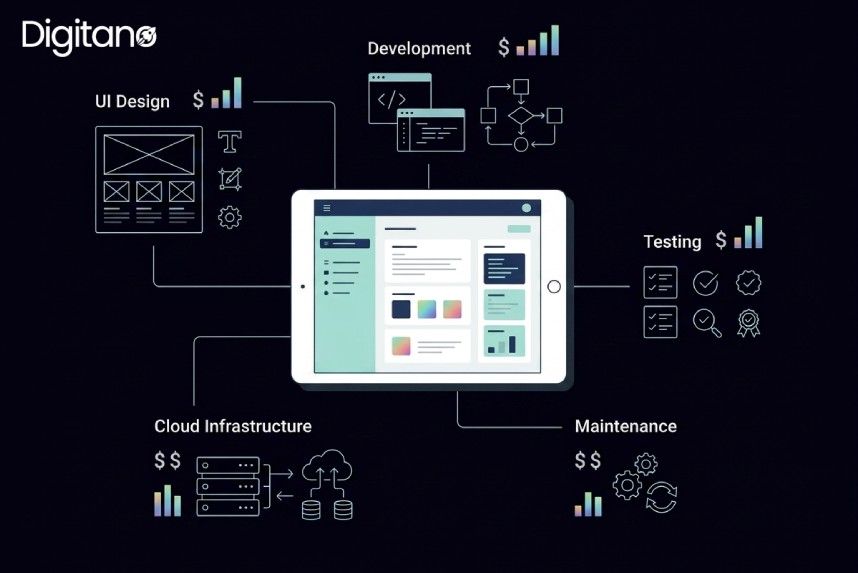
What Does It Really Cost? A Realistic Budget Breakdown
Frequently Asked Questions (FAQs)
Q1: How long does it take to build a business website?
A: A simple brochure-style website with 5–8 pages can be built in 2–4 weeks if you're doing it yourself with a template. A custom-designed website built by an agency typically takes 6–12 weeks. E-commerce sites with large product catalogs can take 3–6 months. The biggest delay in most projects isn't the build it's waiting for content from the business owner.
Q2: Do I need to know how to code to build a website?
A: Not at all. Platforms like WordPress with Elementor, Wix, and Squarespace allow you to build professional websites with zero coding knowledge using drag-and-drop interfaces. That said, basic knowledge of HTML and CSS can save you hours of troubleshooting and gives you more control over customization.
Q3: What's the difference between a website builder and WordPress?
A: Website builders like Wix or Squarespace are fully hosted, all-in-one solutions they handle everything from hosting to updates, making them easy but less flexible. WordPress (self-hosted) gives you complete control over your site, but you're responsible for hosting, security, and updates. WordPress is more powerful and scalable; builders are simpler and faster to get started.
Q4: How important is mobile optimization?
A: Critically important. Over 58% of global web traffic comes from mobile devices, and Google uses mobile-first indexing meaning it crawls and ranks the mobile version of your site first. A site that isn't mobile-friendly will rank lower in search results and deliver a poor experience to the majority of your visitors.
Q5: Do I need a blog on my business website?
A: A blog isn't mandatory, but it's one of the highest-ROI investments you can make in your website's long-term performance. Businesses that blog generate 55% more website visitors and 67% more leads than those that don't (HubSpot). Even publishing one quality post per month can meaningfully improve your search rankings over time.
Q6: How do I get my website to show up on Google?
A: Getting found on Google requires SEO (Search Engine Optimization). Start by submitting your sitemap to Google Search Console, using relevant keywords naturally in your content, earning backlinks from reputable websites, and ensuring your site loads fast and is mobile-friendly. For local businesses, claiming and optimizing your Google Business Profile is equally important. SEO results typically take 3–6 months to become noticeable.
Q7: Should I hire a professional or build it myself?
A: It depends on your budget, timeline, and technical comfort. If you're a solo entrepreneur or early-stage startup with limited resources, DIY platforms offer a solid foundation. If your website is a core revenue channel, investing in a professional designer or agency typically pays off through better design, faster build time, and higher conversion rates. A middle ground: hire a pro to design the site, then manage content yourself.
Q8: How often should I update my website?
A: At minimum, review your website every quarter. Update team information, service offerings, and testimonials as they change. For content marketing, aim to publish new blog posts at least monthly. From a technical standpoint, update plugins and themes immediately when security patches are released never delay these updates.
Q9: Is a .com domain name really better than other extensions?
A: .com remains the most recognized and trusted domain extension globally 46% of all websites use it. That said, industry-specific TLDs like .io (tech), .store (e-commerce), or .agency can be effective if your preferred .com is unavailable. Avoid obscure TLDs that consumers might not recognize. Regardless of extension, owning your brand name in the domain is more important than the extension itself.
Q10: What's the most common mistake businesses make with their website?
A: Building a beautiful website with no clear call to action. Many business websites look polished but fail to convert visitors because they don't tell people what to do next. Every page should have a clear, specific CTA whether that's booking a consultation, starting a free trial, or downloading a resource. The second most common mistake? Not optimizing for mobile users.
Final Thoughts: Your Website Is an Investment, Not an Expense
Building a professional business website in 2024 is more accessible than it's ever been. The tools are better, cheaper, and more powerful than at any point in history. What hasn't changed is the fundamentals: your website needs to be clear, fast, mobile-friendly, trustworthy, and built with your customer's needs at the center.
Follow the 12 steps in this guide and you won't just have a website you'll have a 24/7 salesperson, a trust-building machine, and a platform that grows with your business for years to come.
Start with Step 1 today. Define your goals. Everything else follows from there.